Introduction
JEECUP (Joint Entrance Examination Council Uttar Pradesh) is one of the most important entrance exams for students who want to take admission in polytechnic colleges in Uttar Pradesh. Every year, lakhs of students apply for this exam and use the official portal for registration, admit card download, result checking, and counselling process.
However, one of the most common problems faced by students is forgetting their login password. This issue becomes serious especially during counselling or result time when students urgently need access to their accounts.
If you are also facing this issue, then don’t worry. In this complete guide, we will explain everything about JEECUP password reset 2026 in a very simple and detailed manner so that you can recover your account without any confusion.
✔ Required: Application Number + Date of Birth / OTP
Why Students Forget JEECUP Password?
Before understanding the reset process, it is important to know why students forget their passwords. This will help you avoid such mistakes in the future.
Many students create passwords during registration but do not save them properly. Some use complicated passwords and forget them later. Others change their password during the application process and forget the updated one.
In addition, students often do not note down their login details, or they rely on browser auto-save which sometimes fails. Because of these reasons, password recovery becomes necessary.
To avoid this situation, always save your login credentials in a secure place or use a password manager.
Step-by-Step JEECUP Password Reset Process 2026
Step 1: Visit the official JEECUP website.
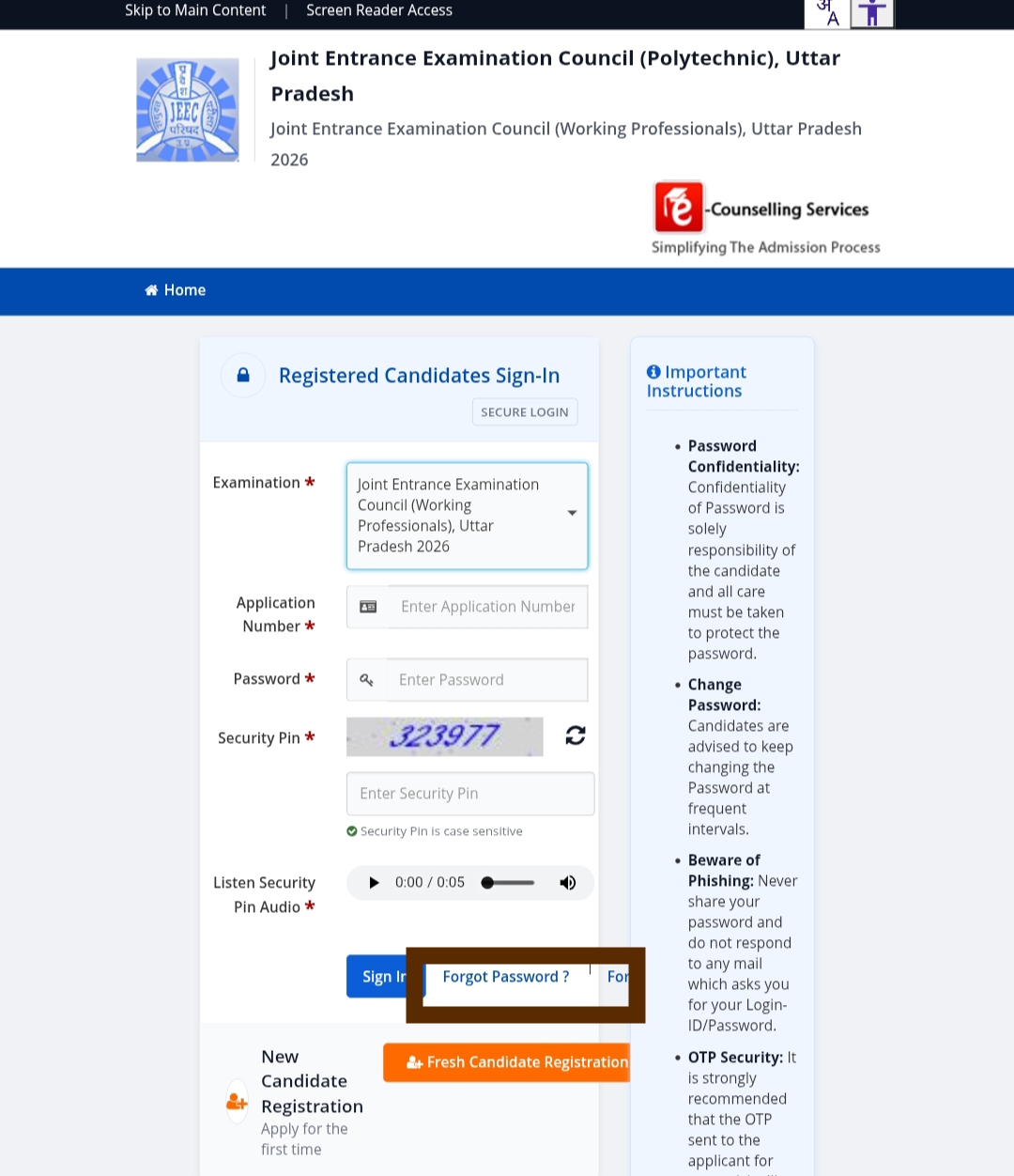
Step 2: Click on Candidate Login section.
Step 3: Select Forgot Password option.
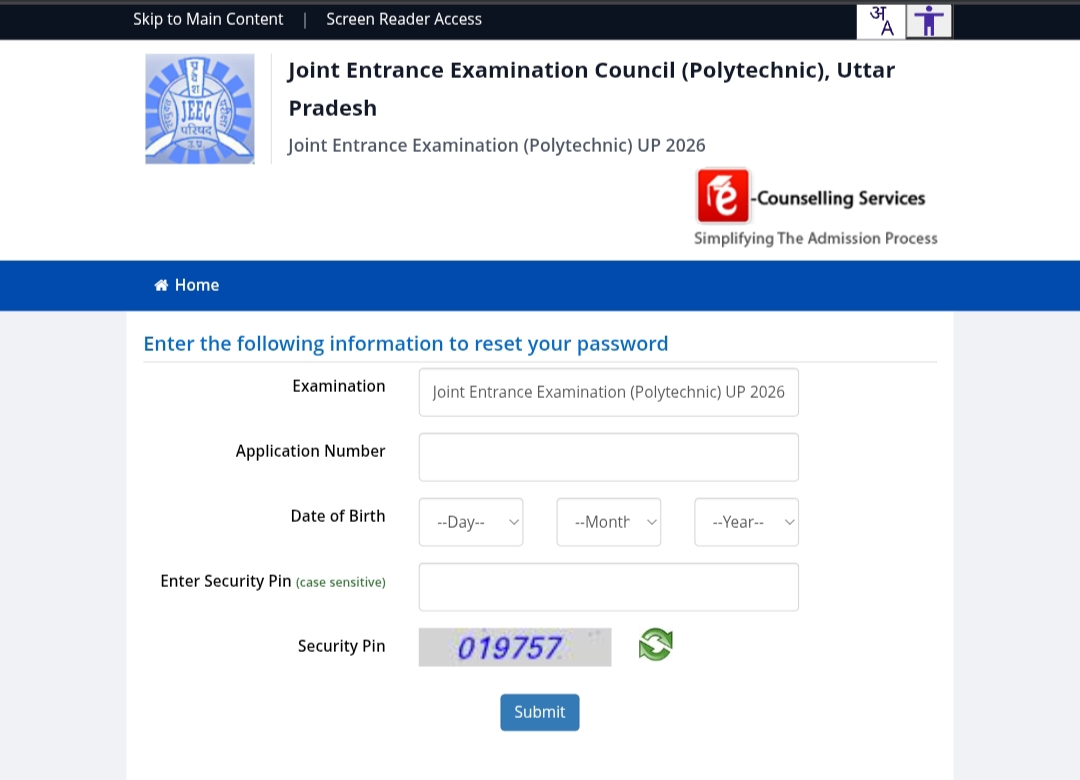
Step 4: Enter Application Number and Date of Birth.
Step 5: Complete OTP verification.
Step 6: Create a new password.
Step 7: Login using your new password.
JEECUP Login Page Screenshot
Forgot Password Page Screenshot
Details Required for Password Reset
To reset your JEECUP password, you must have certain details ready. Without these details, you will not be able to complete the process.
- Application Number
- Date of Birth
- Registered Mobile Number
- Email ID (optional)
Make sure all the details are correct and match your application form.
Common Problems and Solutions
Problem 1: OTP not received
Sometimes students do not receive OTP due to network issues. Wait for a few minutes and try again.
Problem 2: Incorrect details
Double-check your application number and date of birth.
Problem 3: Account locked
If you enter wrong password multiple times, your account may be temporarily locked. Wait and try again later.
How to Create a Strong Password?
While resetting your password, always create a strong and secure password. A strong password helps protect your account from unauthorized access.
A good password should include uppercase letters, lowercase letters, numbers, and special characters. Avoid using your name or date of birth as password.
Example of strong password: Munna@2026#Secure
Importance of JEECUP Login Credentials
Your JEECUP login credentials are very important for the entire admission process. You will need them for:
- Downloading Admit Card
- Checking Result
- Participating in Counselling
- Seat Allotment
- Document Verification
Therefore, always keep your login details safe and secure.
Conclusion
JEECUP password reset process is simple and can be completed within a few minutes if you follow the correct steps. This guide provides complete information so that you can solve your login issues easily.
Make sure to keep your credentials safe and avoid sharing them with anyone. This will help you during the entire admission process.
